
Communication Interface
Here you will find all the important information about the Vitoconnect communication interface, which is used for remote monitoring and remote control of Viessmann heating systems.
-

Interface between boiler and applications
-

Controlling the heating system with the ViCare app
-

Remote maintenance of the heating system using the ViGuide app
-

Comprehensive safety concept
Your local Viessmann sales partner will provide you with individual advice
Control your heating system from your smartphone or tablet
Vitoconnect is the interface to the ViCare app
Remote System Maintenance
Your contractor via the Vitoguide app
Comprehensive safety concept
Passed the VDE Smart Home information security test
Vitoconnect communication module
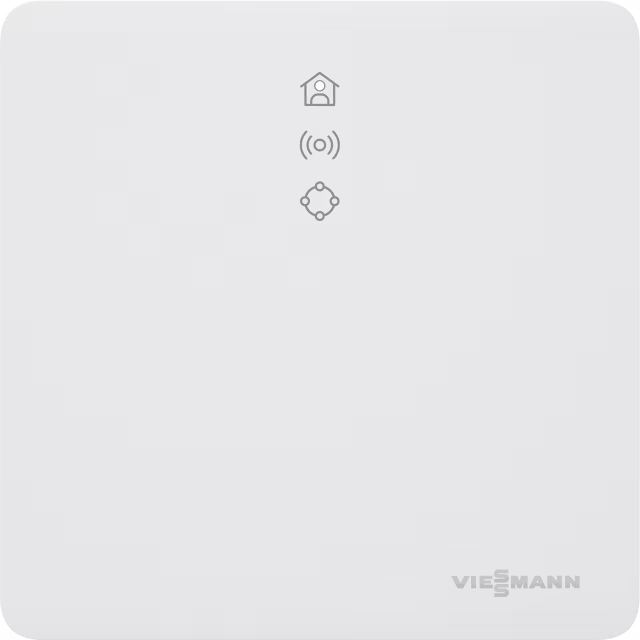
Vitoconnect is the interface between the boiler and the app. It is necessary to control the heating system from a smartphone or tablet and for remote maintenance of the system by the contractor using the Vitoguide application. Vitoconnect is connected directly to the Vitotronic control unit of your Viessmann heating system or to the Ecotronic control unit of wood-burning boilers via a cable.
Vitoconnect uses a comprehensive security concept that has successfully passed the VDE Smart Home information security test. Here you will find out what is included in the Vitoconnect kit, how to install and commission the unit, what to keep in mind… and much more.
Product Details
Every Vitoconnect comes standard with the following components:
- Wall-mounted communication module for connection to broadband router
- Power cable with plug-in power supply (length 1.5 m)
- Connection cable with Optolink connection for the communication module/boiler control unit (3 m length)
Communication
- Via Optolink interface with the boiler control unit
- Via WiFi with DSL router
Connections
- Plug-in power supply (230 V / 50 Hz)
- Connection cable for communication module/Optolink connection
- WiFi connection to connect to the Internet
All Viessmann heat generators with the Vitotronic control unit, including the Optolink interface, can be connected to Vitoconnect. See the list of compatible models below:
Control units for wall-mounted or storage combi boilers
- Vitotronic 200, types HO1, HO1A, HO1B, HO1D, HO2B, HO2C
- Vitotronic 200 RF, types HO1C, HO1E
Control units for floor-standing boilers
- Vitotronic 200, type KO1B, KO2B, KW6, KW6A, KW6B, KW1, KW2, KW4, KW5
- Vitotronic 300, type KW3
Control units for heat pumps and hybrid devices
- Vitotronic 200, types WO1A, WO1B and WO1C
Control units for solid fuel boilers
- Vitoligno 200-S with Ecotronic (from software version 2.03)
- Vitoligno 250-S with Ecotronic (from software version 2.00)
- Vitoligno 300-C with Ecotronic (from software version 2.12)
- Vitoligno 300-P with Vitotronic 200 FO1
- Vitoligno 300-S with Ecotronic (from software version 2.04)
Vitoconnect OT2 is compatible with all new Viessmann heating appliances with OpenTherm interface, which were manufactured after October 2017 and do not have the OpenTherm extension installed. These include:
- Vitodens 1xx-W (WB1B, WB1C, B1HA, B1KA, B1LA, B1LB, B1HC, B1KC, B1LD)
- Vitodens 050-W (BPJC, BPJD)
How to
As previously described, Vitoconnect is an interface between the heating system, in particular the control unit, and the application for controlling it (e.g. ViCare). To ensure smooth management, Vitoconnect must be installed and commissioned. To do this, follow these steps:
Install Vitoconnect on the wall. Make sure the installation site is dry and protected from frost. Also, make sure that the WiFi signal has sufficient range. Then, make connections. On the underside of the Vitoconnect, there are two connectors for electrical connection and connection to the control unit: micro USB for power supply via the plug-in power supply and for the Optolink/USB connection cable. The heating control unit also has an Optolink/USB port.
User Registration via ViCare App and Vitoconnect Setup
The next and foremost step is to register the user, as Vitoconnect can only be put into operation with a valid user account. For the ViCare app, this is done as follows:
- Download the ViCare app.
- Click the “Create a new account” button to create a user account.
- Scan the QR code on the heat generator or invoice.
- If the code is missing, enter the production data and ID and register.
- On Android devices, the “Vitoconnect” WiFi connection is established automatically.
- If you’re using iOS: Close the app and go to your device settings. Then manually establish a connection with the WiFi “Vitoconnect” and paste the WPA2 password from the clipboard. Now, switch back to the app.
- Finally, follow the instructions in the app to set up your home network, enter your location and personal details, and accept the privacy policy and terms of use.
Vitoconnect and the ViCare app are now set up and ready to go. This is also evidenced by the top two green LEDs on Vitoconnect.
You also have the option to register only your new system. In this case, we will extend your warranty and confirm it with a system certificate. It also contains all the data about your system. If you have already connected to the ViCare app, you can use the information provided there.
The full range of Vitoconnect functions is only available if both the Vitoconnect itself and the control unit are properly connected and configured. In addition, a constant Internet connection via a WiFi router is required. Otherwise, the data cannot be transferred from the heating controller to the app. Last but not least, a user account must be created. This links Vitoconnect to the system account (in the app).
General information on commissioning:
- Before commissioning, check the system requirements for communication via a local IP / WiFi network.
- Vitoconnect requires an available internet connection with a fixed data rate (no time or volume limits). The WiFi signal should be strong enough and can be amplified with an extender if necessary.
- In order to be able to send messages in the event of a power outage, it is recommended that you connect your Vitoconnect and WiFi router to the power grid via an uninterruptible power supply (UPS).
- The WiFi router must be protected with a sufficiently strong WPA2 password, as sensitive data is transmitted through this connection.
- Vitoconnect must be installed at least 0.3 meters away from the heat generator.
Firewall settings:
- Port 443 (HTTPS) and port 123 (NTP) must be open.
- The MAC address is printed on the device label.
Possible error messages
Vitoconnect has three LEDs that indicate the status of the connection to the heat generator and the Viessmann server and provide information about the functions of the system. The basic principle of operation is relatively simple and based on a traffic light system.
The following overview (pages 23-25) lists possible malfunctions and how to eliminate them: