

How does the ViCare app work? What does it allow me to do and what functions does it have? How do I install the app correctly? You will find the answers below, as well as useful information on the most frequently asked questions about the ViCare app.
The complete list of heating systems is divided into two categories depending on whether the system has a built-in WiFi module or not. Please consult with your contractor to ensure you get the right solution.
All new generation Viessmann heating appliances are compatible with ViCare components. If your heating appliance is equipped with a WiFi module marked "0019", it is compatible with the ViCare Smart Climate function.
Vitocal
Vitodens
To connect your Viessmann heating system to the ViCare app, follow these steps:
For registration, create a user account in the app under "Create new account". To create an account, you need to provide the following information:
The ViCare app can be downloaded from the App Store or Google Play Store. Observe the minimum requirements for your operating system.
ViCare is a native app, i.e., developed for mobile operating systems. A PC version is currently unavailable.
The Vitoconnect module can be easily registered using plug & play functionality. All you need to do is scan the included QR code with your smartphone. Make sure that the Vitoconnect module and the Vitotronic control unit of the heating system are connected to power and the internet using the cable included in the delivery. Scanning the code allows you to connect Vitoconnect to your account in the ViCare app. To do this, you need to download the app and create a user account in it.
Simply download the ViCare app to your new device. Then log in using your email address and password. You don't need to create a new account or reconfigure the app. After logging in, you can continue using the ViCare app services.
For security reasons, Vitoconnect is permanently connected to the control unit of the corresponding heating system. Before purchasing a new Viessmann heating system, you need to reset Vitoconnect. To do this, send an email to: td@viessmann.com. This should be done from the address you used to register your Vitoconnect. Then install Vitoconnect and connect it to the new heating system.
The QR code is also attached to the Vitoconnect housing, directly on the circuit board. Disconnect the power and USB cables from Vitoconnect and remove the housing cover. The best way to do this is to pull the housing toward you from below and then lift it. For detailed information, see step 1 in the PDF file "Commissioning".
Basically, the operating system, i.e., the ViCare app, notifies when and what updates are available. You should confirm this notification, then download and install the updates. With the appropriate setting on the smartphone, updates can be downloaded automatically.
All available extensions will be installed along with app updates. Therefore, you should always keep the app up to date. After each update, the notification will indicate what's new and what has changed.
Available for iOS and Android.


Watch the video to learn how the ViCare app gives you complete control over the temperature in every room, whether you're at home or on the go.
Connecting your Viessmann heating system to the Internet, controlling it with the ViCare app, and viewing consumption data has several advantages:
Additionally, after connecting the heating system, you have the option to extend the warranty from two to five years. For the warranty extension to remain valid, your heating system must remain online and connected throughout the period.
Tip: Make sure you enter the correct email address to log into the ViCare app and update your password at least once every six months.
Routing and security settings must be configured within the IP network (LAN).
For direct outbound connections, enable the following ports:
Note: If you are not familiar with this setup process, it is recommended to contact an IT specialist who can assist with the configuration.
To reconnect the app to Vitoconnect, follow these steps:
If these steps do not resolve the connection issue, please refer to other articles in our FAQ or contact the Viessmann Community for further support.
You can find all information about the features and use of the ViCare app on the ViCare app page or by contacting your local Viessmann sales partner.
In addition to the heating circuit temperature, you can view the domestic hot water temperature and the outdoor temperature. All available information is displayed in clear, easy-to-read tiles. The current heating modes are also shown.
The time program is displayed as a calendar with clock symbols, and when you are at home, a house symbol is shown.
For more information, please visit the Viessmann ViCare app page .
Using the ViCare app, you can activate Comfort and Party modes. These modes allow you to conveniently balance comfort and performance. The settings can be configured using Android and iOS devices.
An energy-saving mode can only be activated if the control unit of your heating system supports this function. If it is not supported, this setting cannot be configured via the app.
If the ViCare app does not connect to the heating system, please check whether an Internet connection is available.
Completely close the app. If you are using an Apple device, double-press the Home button and swipe up to close the app. Then restart the app. The ViCare app should now work again.
To be on the safe side, also check the App Store or Play Store for ViCare updates.
Additionally, make sure your operating system meets the minimum requirements: iOS 10.3 or Android 4.4 and higher.
If the issues are recurring within the app itself, please contact vicare-service@viessmann.com . If the issues are related to the heating system, please contact your Viessmann sales partner or your trusted heating contractor.
The ViCare app displays the outdoor temperature only if the heating controller supports this function. This means that the outdoor temperature is available only if the weather-compensated heating system is equipped with an outdoor temperature sensor.
Currently, the ViCare app does not support displaying the flow temperature.
To view the boiler water temperature, go to the Settings menu, scroll down to Devices, and select Boiler. The boiler water temperature is displayed for all oil and gas heating systems.
On the ViCare app’s login screen, there is a “Forgot password” option. Enter the email address you registered with, and you will receive an email allowing you to set a new password.
Check the position of your router and inspect all connecting cables.
If both are fine, install a Wi-Fi repeater to boost the signal. This should ensure a stable connection between your smartphone and the heating system.
The actual temperature is displayed only if the app receives this data from the heating system. The heating control unit must support this function. If you have not installed a room thermostat, for example on the remote control, no data is available, and the app will display “--”.
We are a family-owned company with over 100 years of history and the highest quality standards. We consider ourselves a reliable partner in the lives of our customers. Transparent handling of your data is a key part of this reliability.
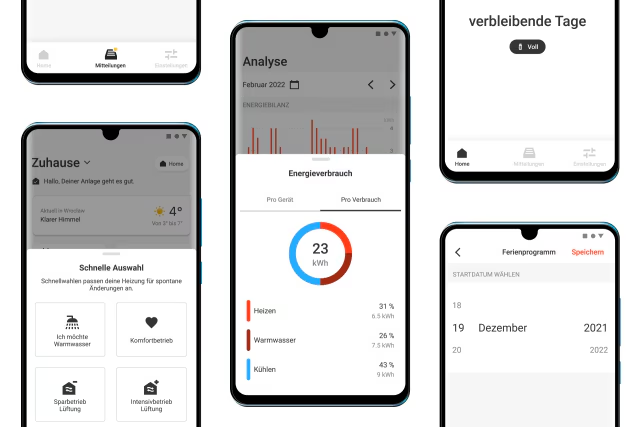
Behind ViCare is a hard-working team that strives every day to improve ViCare and make you a little happier.

ViCare components allow you to automate the control of your heating system. This contributes to increased convenience and saves on energy costs.
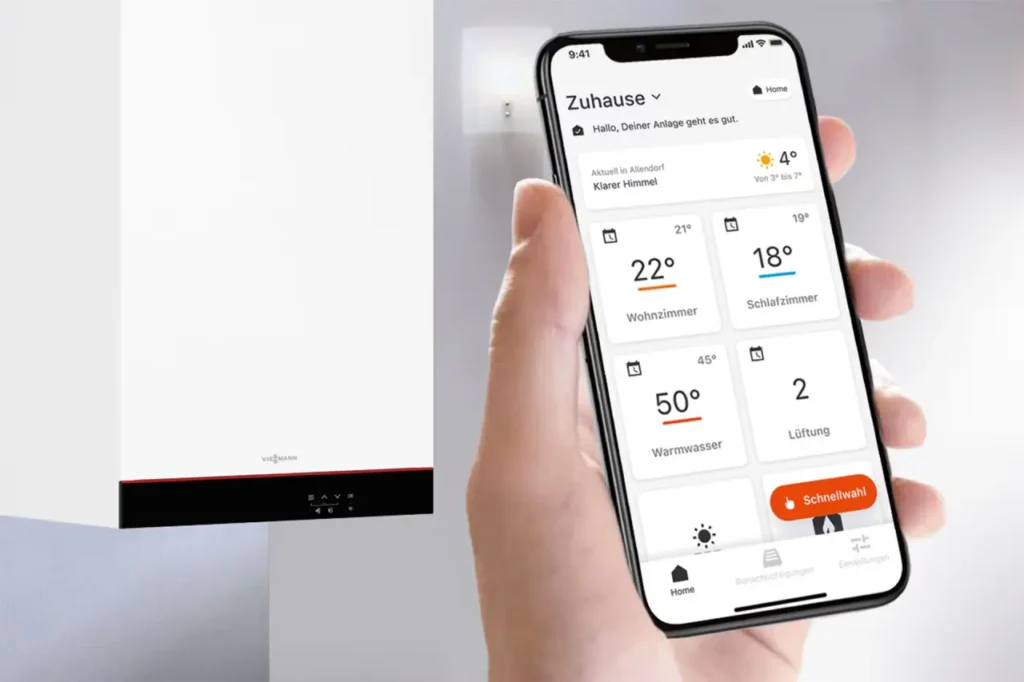
Viessmann's intelligent technologies increase the user-friendliness for users and partners and help with energy management and maintenance.
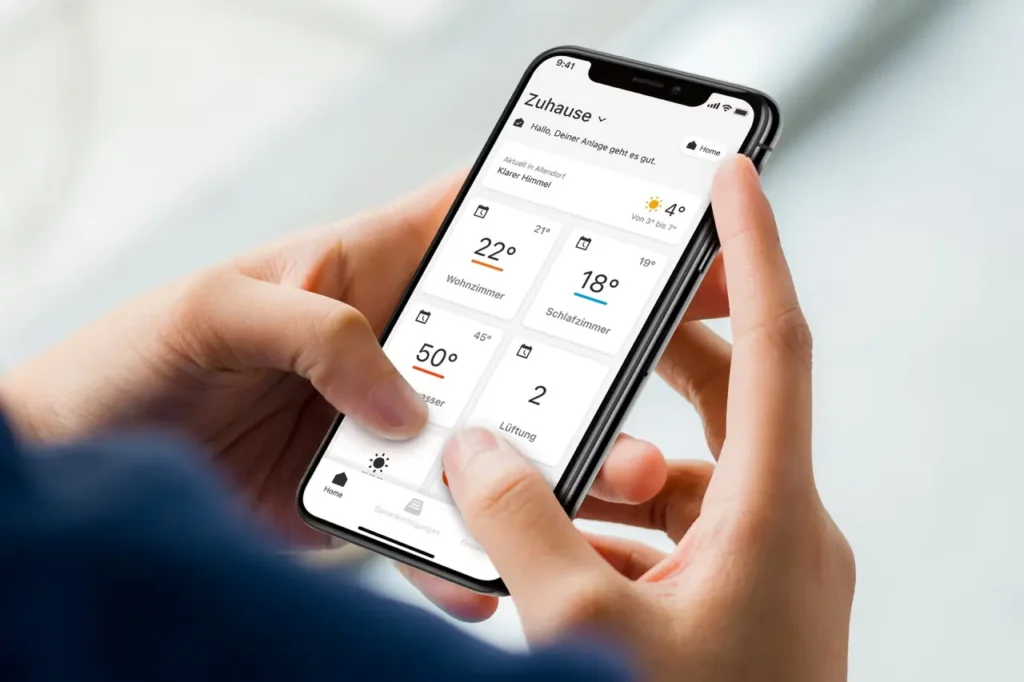
Whether end users or sales partners, Viessmann has the right applications for every target group. Learn more about their features and applications here.
Make your home a smart home. What is meant by a smart home, what advantages does it offer and how does it work with Viessmann heating and control technology?
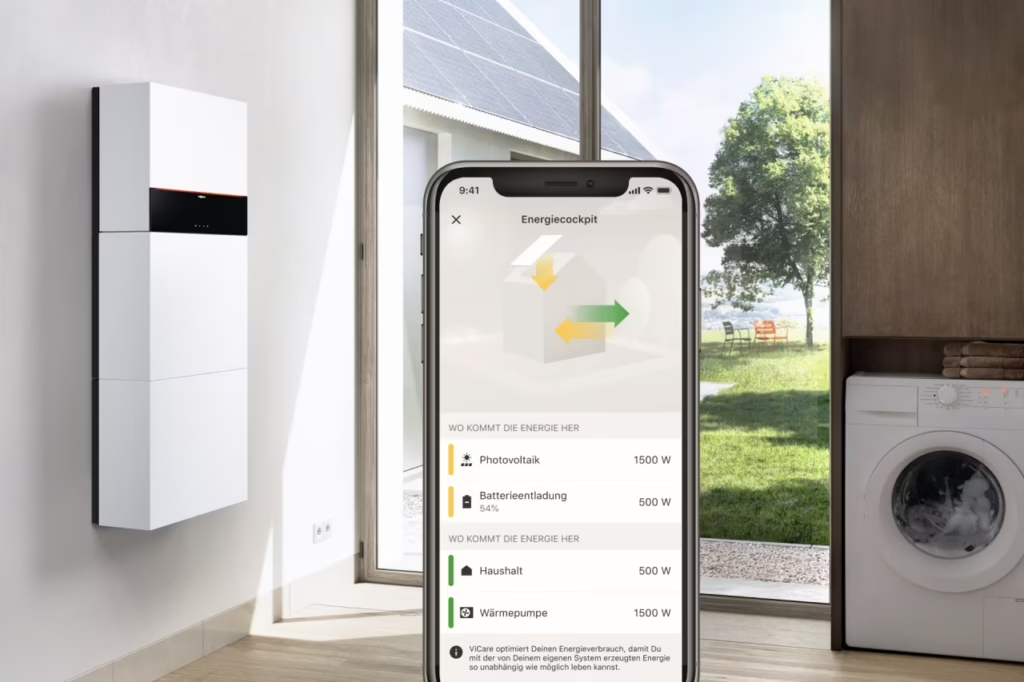
Energy Management displays and optimizes the flow of energy in the home in real time on a smartphone or tablet. Learn more about features and compatible systems.